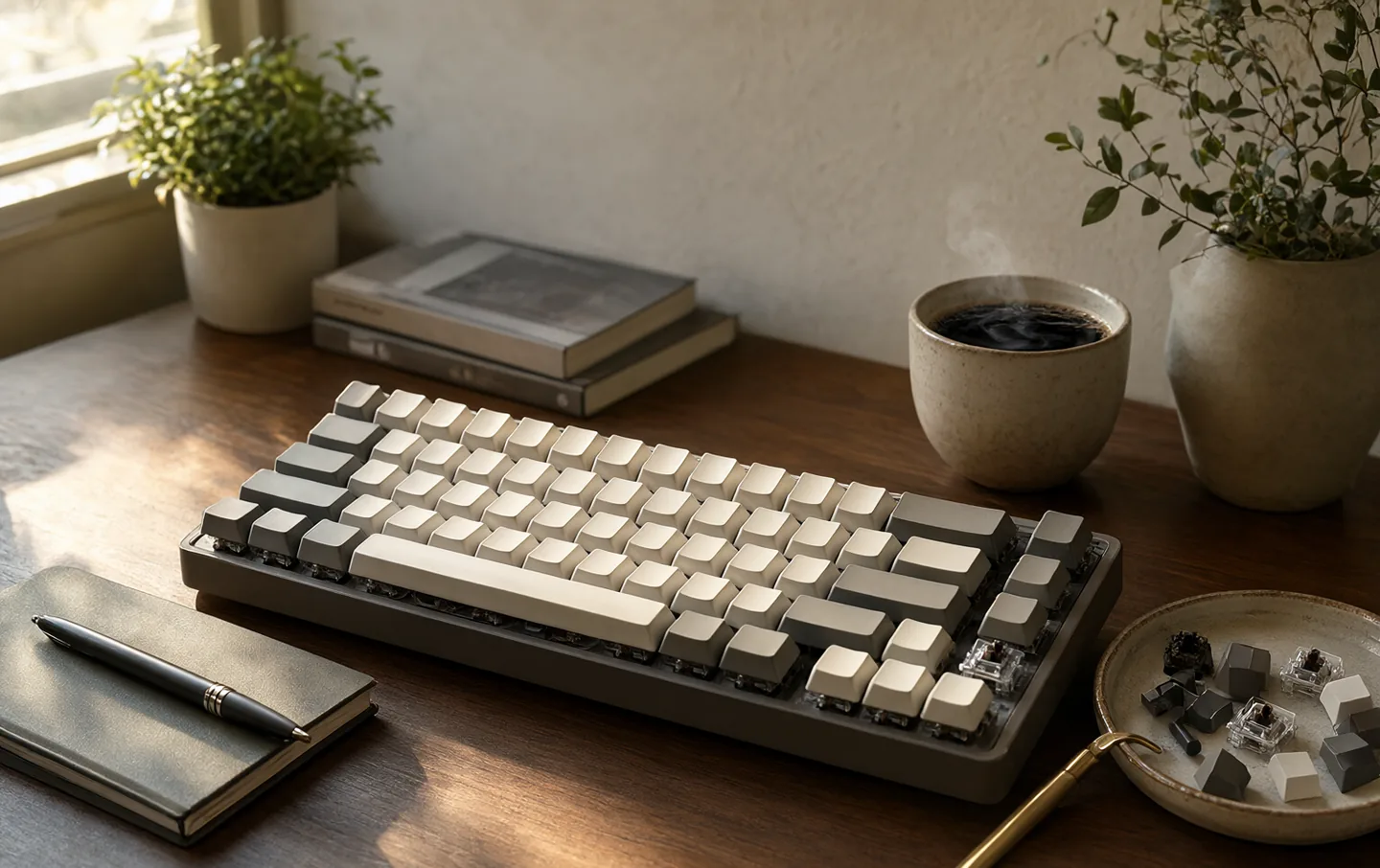
The hobby is louder than the keyboards. Group buys, limited colorways, lubricant debates, and photographs of keycaps arranged like jewelry. None of that is necessary to get the actual benefit: a keyboard that feels good under your fingers, makes a sound you like, and can be repaired instead of replaced.
This is a guide for people who want to buy one keyboard, use it for years, and not learn a new vocabulary. We looked at layout, switch behavior, noise in shared rooms, and whether the parts can be fixed when something wears out.
The quick version#
The Keychron Q1 Pro is the solid aluminum all-rounder if you want a substantial board and do not need to carry it. The NuPhy Air75 V3 is the low-profile travel board with proper mechanical switches. The Logitech MX Mechanical Mini is the quiet, boring, reliable choice for an office. The HHKB Professional Hybrid is the expensive, strange, beloved end of the road.
The short list#
Keychron Q1 Pro
Best for a desk where the keyboard stays put
The Q1 Pro is a 75% keyboard with an aluminum case, a gasket mount, and a knob. It feels like an object rather than an accessory: heavy, stable, and quiet in a way that comes from mass rather than foam. The typing sound is low and solid, not clicky.
The layout keeps the arrow keys and function row while dropping the numpad, which is the right compromise for most desk work. Hot-swap sockets mean a worn or disliked switch can be replaced without soldering. QMK and VIA let you remap keys if you care; if you do not, the default layout is sensible.
The weight is the catch. This is not a keyboard you take to a coffee shop, and the tall front edge wants a wrist rest.
What works
- Solid aluminum body with a gasket mount
- Hot-swap sockets for easy switch changes
- QMK and VIA support for remapping
- Works with Mac and Windows layouts
What doesn't
- Around 1.6kg, not a travel keyboard
- Tall without a wrist rest
- Bluetooth only, no 2.4GHz dongle
- Battery life suffers with the lighting on
NuPhy Air75 V3
Best for small desks, commutes, and laptop bags
The Air75 V3 is the keyboard to buy if you like the idea of mechanical switches but not the bulk. It is a 75% low-profile board with an aluminum top plate, a slim body, and keycaps that sit closer to a laptop. It slides into a bag without a dedicated case.
The switches are still mechanical, with a shorter travel than a full-height board. Some people love the speed; others find the shorter throw tiring over a long day. The layout is compact but keeps arrows and function keys, and the Mac and Windows legends are printed clearly.
It supports Bluetooth, a 2.4GHz dongle, and wired use, which covers a laptop, a tablet, and a desktop. The dongle is small enough to lose, and the battery drains faster with the backlight on. Neither is a dealbreaker.
What works
- Low-profile body fits in a laptop sleeve
- Hot-swap switches and QMK support
- Bluetooth, 2.4GHz, and wired modes
- Mac-friendly keycaps and layout
What doesn't
- Low-profile keycaps are not for everyone
- Small battery if you use the lighting
- 2.4GHz dongle is easy to lose
- Less comfortable for very long sessions
Logitech MX Mechanical Mini
Best for shared offices, open-plan rooms, and quiet households
The MX Mechanical Mini is the keyboard for someone who wants mechanical feel without becoming the loudest person on the floor. The tactile switches are muted, the body is low, and the backlight comes on when your hands approach. It looks like office equipment, which is the point.
It pairs with three devices and switches between them, and the Logi Bolt receiver is more reliable than Bluetooth in a busy office. The battery lasts for months with the backlight off.
The trade is repairability. The switches are not hot-swappable, and the keycaps are not designed for easy swapping. When a switch wears out, the keyboard is the unit that gets replaced. For a quiet office board with no fuss, that is an acceptable compromise.
What works
- Quiet tactile switches
- Low-profile, comfortable layout
- Bluetooth and Logi Bolt wireless
- Backlight and long battery life
What doesn't
- Not hot-swap, so worn switches mean a new board
- Extra features need Logitech software
- Keycaps are not as easy to customize
- Less satisfying than a full-height board
HHKB Professional Hybrid
Best for writers and programmers who want a small, quiet board
The HHKB is the keyboard people either love for decades or sell after a month. It uses Topre switches, which are a hybrid of rubber dome and mechanical: a soft, rounded press with a gentle thock at the bottom. It is quieter than a clicky board and more tactile than a laptop keyboard.
The layout is the real commitment. It is a 60% board with no arrow keys, no function row, and a Control key where Caps Lock usually sits. Programmers who live in terminal shortcuts tend to love it; everyone else spends a week retraining their hands.
The case is plastic, which is hard to accept at this price. The keycaps are excellent, the typing feel is distinctive, and the board is light enough to carry. Buy it if you want the feel, not if you want to customize every part.
What works
- Topre switches feel soft and deep
- PBT keycaps age well
- Compact 60% layout
- Bluetooth and USB-C
What doesn't
- Expensive for a plastic case
- 60% layout lacks arrow keys
- No hot-swap or easy customization
- The feel is divisive
Switch feel, in plain language#
Linear switches move straight down with no bump. They are smooth and quiet, and popular for gaming. Tactile switches have a small bump halfway down, which tells your fingers when the key has registered. Clicky switches add an audible click, which is satisfying at home and antisocial in an office.
Most first-time buyers are happy with a tactile switch. It gives feedback without the noise of a clicky switch, and it works for typing and casual games. If you share a room, look for a silent or dampened switch rather than a clicky one.
Layout, without the spreadsheets#
60% drops the arrow keys, function row, and numpad. It is small and portable, but everything lives behind a function layer.
65% adds arrow keys and a few navigation keys in a slightly wider body. It is the smallest layout most people should consider.
75% keeps the arrow keys, function row, and often a knob, while dropping the numpad. It is the best compromise for a single desk keyboard.
TKL removes only the numpad. It is wide but familiar, and a good choice if you use function keys constantly.
What is worth paying for#
Hot-swap sockets. They let you replace a switch without soldering, which turns a worn key into a small repair instead of a new keyboard. Worth having if you plan to keep the board for years.
A standard layout. Unusual bottom rows and split spacebars make keycaps harder to find. A standard 75% or TKL is easier to live with.
Good keycaps. PBT plastic resists shine better than ABS. Double-shot legends last longer than printed ones. This matters more than a fancy cable.
A sensible connection. Bluetooth is fine for typing. A 2.4GHz dongle is better for low latency and busy offices. Wired is still the most reliable.
Questions people actually ask#
Are mechanical keyboards loud?#
Clicky switches are loud by design. Linear and tactile switches can be quieter than a membrane keyboard, especially with dampening and a solid case. In a shared office, choose silent switches and avoid bottoming out hard.
Is hot-swap worth it?#
If you want to change the feel or repair a worn switch, yes. If you are buying one keyboard to use as-is, it is a nice extra rather than a requirement.
Do I need QMK or VIA?#
Only if you want to remap keys, build layers, or tinker with the firmware. Most people are fine with the manufacturer's software or the default layout. QMK is a deep rabbit hole, and it is optional.
The right mechanical keyboard is the one you stop thinking about after a week. Pick a layout that fits your desk, a switch that fits your noise budget, and a board you can repair. The rest is hobby.